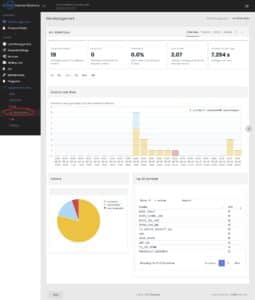
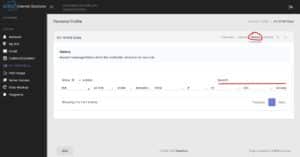
To find an email that is being blocked as SPAM use the following steps. Screenshots are at the bottom.
Information You Will Need
- Server Control Panel Address (usually https://mail.yourdomain.com/login)
- Site Admin Email Username
- Site Admin Email Password
- (contact support if you do not have this information)
Login with your username and password. Submit a Support Ticket if you need any help with your username or password.
- Login with the Site Admin email username and password.
- Click on AV-Spam Stats on the left side menu. (See screenshot step 2 below)
- Then click on the History item on the top right. (See screenshot step 3 below)
- This History screen has a list of received messages. Use the Search box in the right corner of the listing. (See screenshot step 3 below)
- Once you find the missing email you can note the sender email address and then add that to the user filter settings using the instructions on this page.